目次
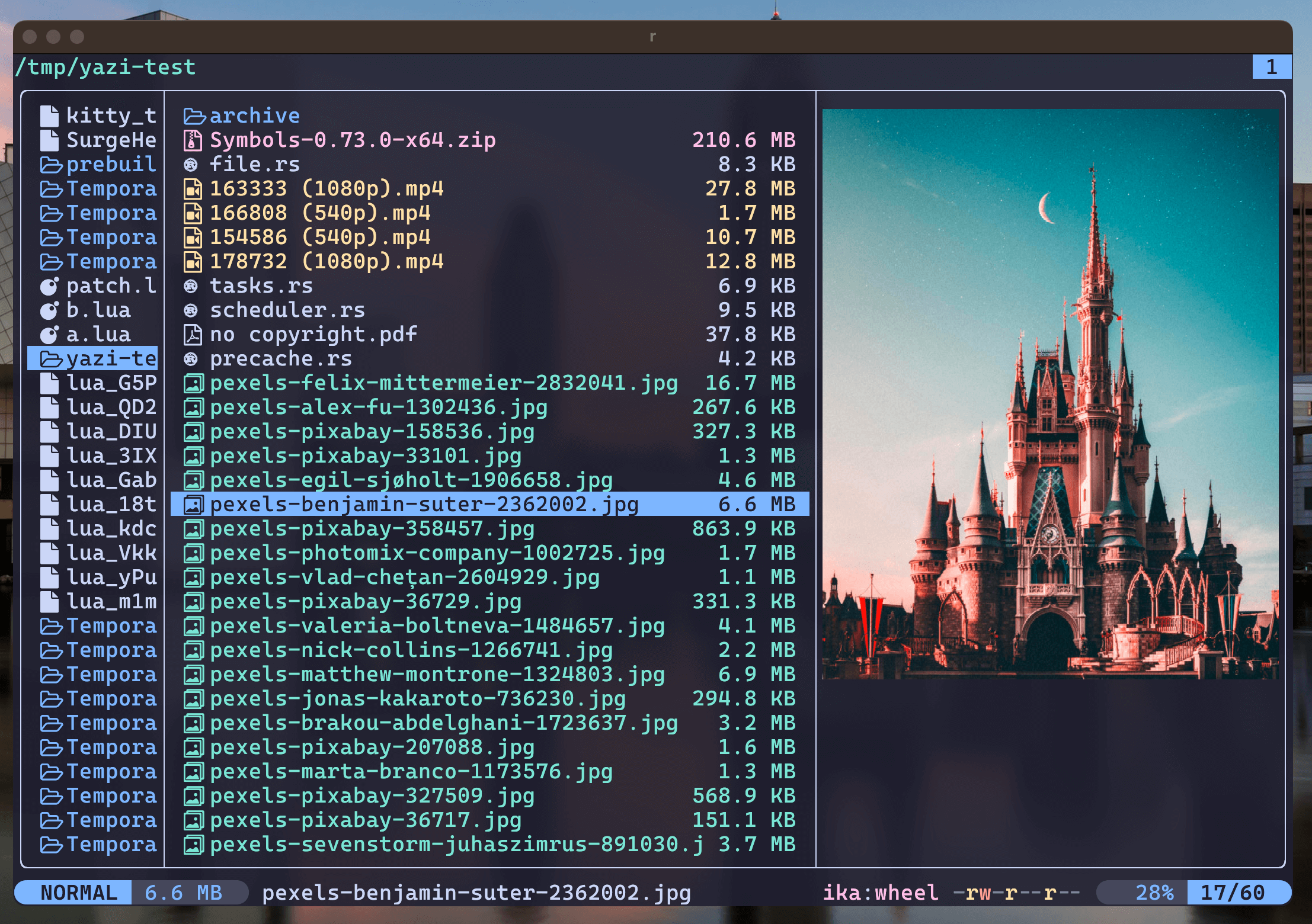
Yazi マウスも使えて、ターミナルで高速に動くファイルマネージャ
目次
Yaziとは
- Yazi(アヒル)
- Linux, Windows, Mac
- 非同期I/Oをベースにした設計により、非常に高速なファイル操作が可能
- マウスも可能
インストール
Ubuntuでのインストール
https://github.com/sxyazi/yazi/releases からダウンロードする
cd /tmp
wget https://github.com/sxyazi/yazi/releases/download/v25.5.31/yazi-x86_64-unknown-linux-musl.zip
unzip yazi-x86_64-unknown-linux-musl.zip
cd yazi-x86_64-unknown-linux-musl
sudo mv -i ya yazi /usr/local/bin
依存パッケージ
sudo apt install -y ffmpeg 7zip jq poppler-utils fd-find ripgrep fzf zoxide imagemagick
Mac
brew install yazi ffmpegthumbnailer unar jq poppler fd ripgrep fzf
Windows
winget install yazi
設定
Ubuntu
mkdir -p ~/.config/yazi
cd ~/.config/yazi

git clone https://github.com/sxyazi/yazi.git ~/.config/yazi/yazi
git clone https://github.com/yazi-rs/flavors.git ~/.config/yazi/flavors

cp yazi/yazi-config/preset/keymap-default.toml ./keymap.toml
cp yazi/yazi-config/preset/yazi-default.toml ./yazi.toml
cp flavors/catppuccin-macchiato.yazi/flavor.toml ./theme.toml #カラー設定を上書き
Windows
mkdir "$env:APPDATA\yazi\config" -Force
git clone https://github.com/sxyazi/yazi.git %appdata%\yazi\yazi
git clone https://github.com/yazi-rs/flavors.git %appdata%\yazi\config\flavors

cd "$env:APPDATA\yazi"
copy .\yazi\yazi-config\preset\yazi-default.toml .\config\yazi.toml
copy .\yazi\yazi-config\preset\keymap-default.toml .\config\keymap.toml
copy .\yazi\yazi-config\preset\vfs-default.toml .\config\vfs.toml
~/.config/yazi/yazi.toml
show_hidden = true #隠しファイルを表示
~/.config/yazi/theme.toml(カラー設定)
~/.config/yazi/keymap.toml
Esc1回で中止
[[input.prepend_keymap]]
on   = "<Esc>"
run  = "close"
desc = "Cancel input"
yで起動して、yaziを閉じた時にそのカレントディレクトリへ移動
.zshrc/.bashrc
function y() {
	tmp="$(mktemp -t "yazi-cwd.XXXXX")"
	yazi --cwd-file="$tmp"
	if cwd="$(cat -- "$tmp")" && [ -n "$cwd" ] && [ "$cwd" != "$PWD" ]; then
		cd -- "$cwd"
	fi
	rm -f -- "$tmp"
}
function y() {
	local tmp="$(mktemp -t "yazi-cwd.XXXXXX")" cwd
	yazi "$@" --cwd-file="$tmp"
	IFS= read -r -d '' cwd < "$tmp"
	[ -n "$cwd" ] && [ "$cwd" != "$PWD" ] && builtin cd -- "$cwd"
	rm -f -- "$tmp"
}
PowerShell
## PowerShellの実行ポリシーがスクリプト実行を許可
Set-ExecutionPolicy -ExecutionPolicy RemoteSigned -Scope CurrentUser

Test-Path $PROFILE
$PROFILE  #値を確認
New-Item -ItemType File -Path $PROFILE -Force
Get-Variable $PROFILE
notepad $PROFILE
function y {
    $tmp = (New-TemporaryFile).FullName

    yazi.exe @args --cwd-file="$tmp"

    $cwd = Get-Content -Path $tmp -Encoding UTF8

    if (
        $cwd `
        -and $cwd -ne $PWD.Path `
        -and (Test-Path -LiteralPath $cwd -PathType Container)
    ) {
        Set-Location -LiteralPath (Resolve-Path -LiteralPath $cwd).Path
    }

    Remove-Item -Path $tmp -Force
}
## 反映
. $PROFILE
操作
起動
yazi
移動
| q | 閉じる |
| j | 下へ移動 |
| k | 上へ移動 |
| l | 子ディレクトリに移動 |
| h | 親ディレクトリに移動 |
| g<space> | パスを入力できる。 例:p:\git |
| gg | 最初の行へ移動 |
| G | 最後の行へ移動 |
| Ctrl u | 半画面上に移動 |
| Ctrl d | 半画面下に移動 |
| gh | ホームディレクトリへ移動 |
| / | 全文検索 |
| Z | fzfを起動 ※Zoxideで、履歴を保存しておいて、fzfで選択して移動 |
ファイル操作
| Space | ファイルを選択 |
| y | コピー |
| x | 切り取り |
| p | 貼り付け |
| d | 削除 |
| r | リネーム |
| a | ファイルやフォルダの作成 |
| Enter o | 開く |
| O Ctrl Enter | 方法を指定してファイルを開く |
| - | シンボリックリンクを開く |
| : | シェルを起動 例 code . open . |
plugin
pluginはyaコマンドを用いてインストールする仕組みとなっている。
Ubuntuは~/.config/yazi/plugins
Windowsは%appdata%\yazi\config\pluginsが配置場所となる。
smart-enter.yazi
インストール
ya pkg add yazi-rs/plugins:smart-enter
設定
~/.config/yazi/keymap.toml に以下を追記
[[manager.prepend_keymap]]
on   = "<Enter>"
run  = "plugin smart-enter"
desc = "Enter the child directory, or open the file"
bookmarks
https://github.com/dedukun/bookmarks.yazi
Bookmark情報は、「~/.local/state/yazi/.dds」に保存される。
インストール
ya pkg add dedukun/bookmarks
設定
~/.config/yazi/keymap.toml に以下を追記
[[manager.prepend_keymap]]
on = [ "B", "S" ]
run = "plugin bookmarks save"
desc = "Save current position as a bookmark"

[[manager.prepend_keymap]]
on = [ "B", "J" ]
run = "plugin bookmarks jump"
desc = "Jump to a bookmark"

[[manager.prepend_keymap]]
on = [ "b", "d" ]
run = "plugin bookmarks delete"
desc = "Delete a bookmark"

[[manager.prepend_keymap]]
on = [ "b", "D" ]
run = "plugin bookmarks delete_all"
desc = "Delete all bookmarks"
~/.config/yazi/init.lua に以下を追記
require("bookmarks"):setup({
    last_directory = { enable = false, persist = false, mode="dir" },
    persist = "all",
    desc_format = "full",
    file_pick_mode = "hover",
    custom_desc_input = true,
    notify = {
        enable = true,
        timeout = 3,
        message = {
            new = "New bookmark '<key>' -> '<folder>'",
            delete = "Deleted bookmark in '<key>'",
            delete_all = "Deleted all bookmarks",
        },
    },
})